Open Settings, select Support Agent under Agents, then Actions. Until Stripe is connected, the tab shows a Connect Stripe button instead.

Payments

The label beside the heading shows where the agent stands: Off, Recommending, or Issuing. Payments on the Actions tab Act on payments is the master switch. Off, the agent can still look payments up and answer billing questions, but never refunds, cancels, or issues codes. On, you choose how far it goes:
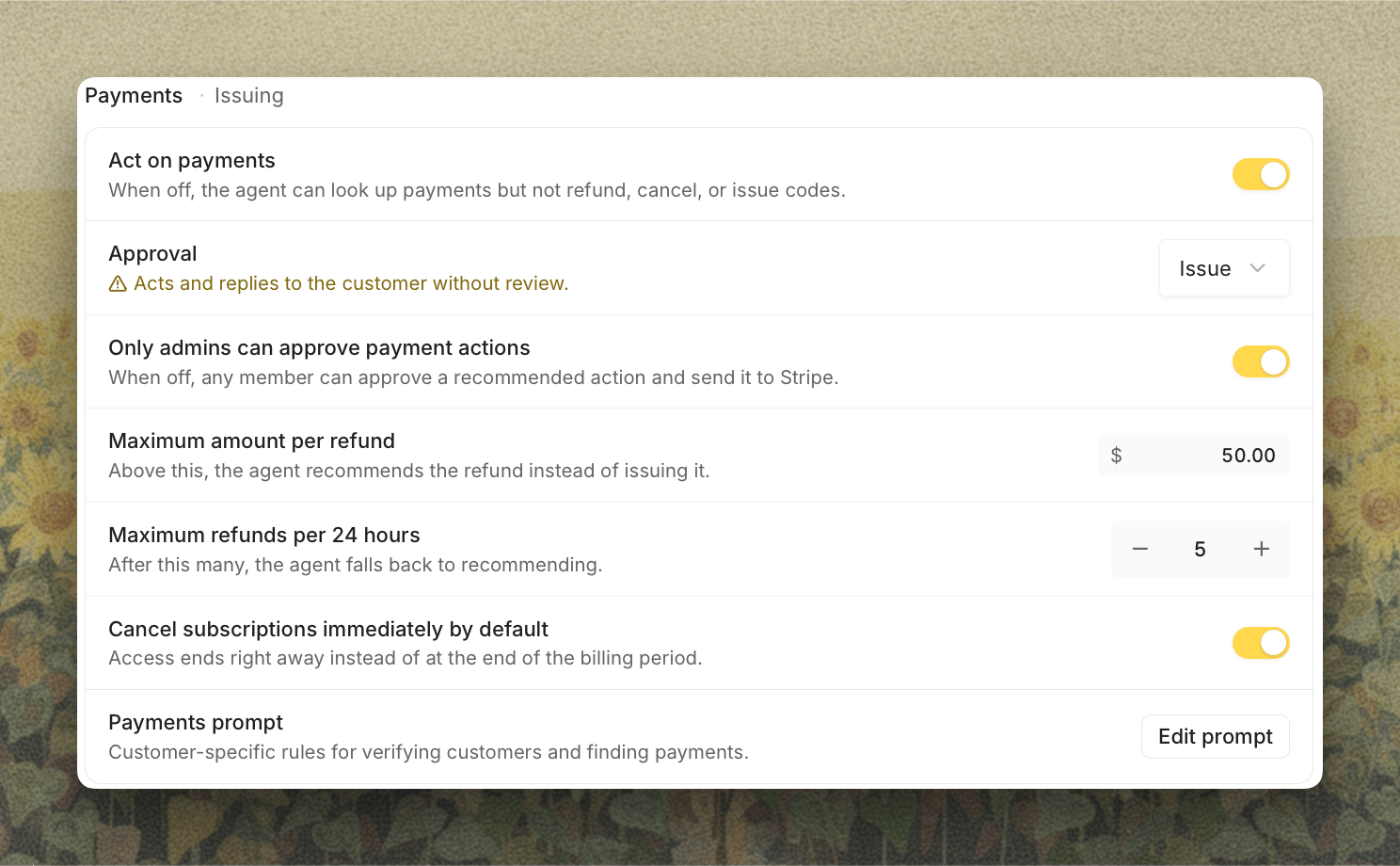
  • Approval: Recommend has the agent propose each action for an admin to approve from the ticket, so nothing changes in Stripe until someone clicks. Issue lets it act and reply to the customer on its own, after the reply clears your guardrails.
  • Only admins can approve payment actions: on by default. Off, any member can approve a recommended action and send it to Stripe.
  • Maximum amount per refund: $50.00 by default. Above this the agent recommends instead of issuing, even on Issue.
  • Maximum refunds per 24 hours: 10 by default. After this many, it falls back to recommending.
  • Cancel subscriptions immediately by default: access ends right away instead of at the end of the billing period.
Issue is unavailable until your Stripe key can make a change. Warnings under the card say which permission is missing for refunds, cancellations, or promo codes. Payments prompt opens the instructions the agent follows for your business: how to verify a customer, how to find their payments, and anything else specific to how you handle billing. Saving publishes a new version that the agent uses on its next run. See Stripe for the permissions each action needs and how approving a refund or cancellation works on the ticket.