Internal Notes
The agent writes up to two things to a ticket for your team, both visible in Ticket Detail:- Drafted reply: the customer-facing answer your team would send.
- Investigation summary: what the private agent found while working the ticket, written for your team rather than the customer.
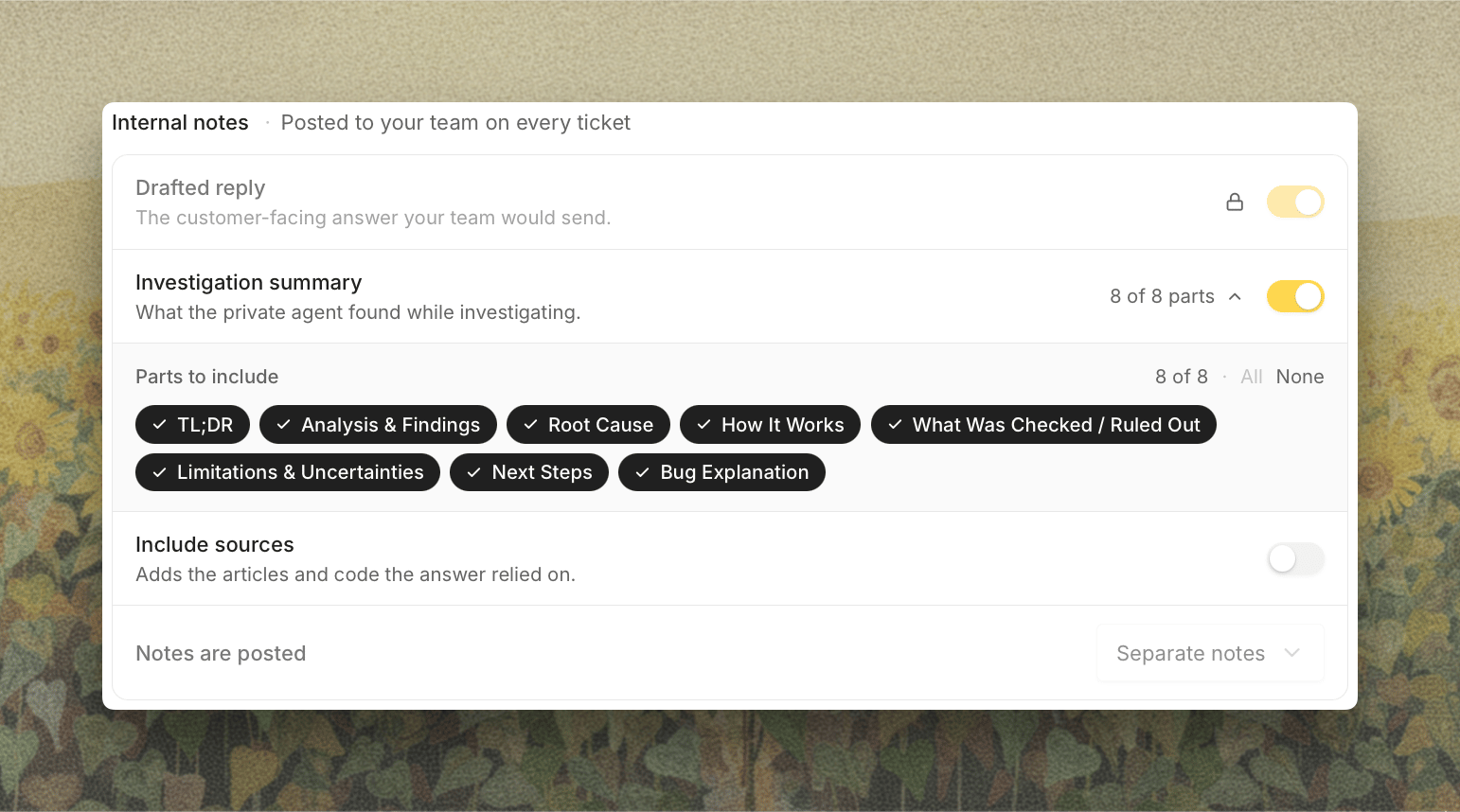
While private agent replies are on, Drafted reply stays enabled and notes post separately, since a reply that may go to the customer has to stand on its own.
Public Agent Replies to Customers
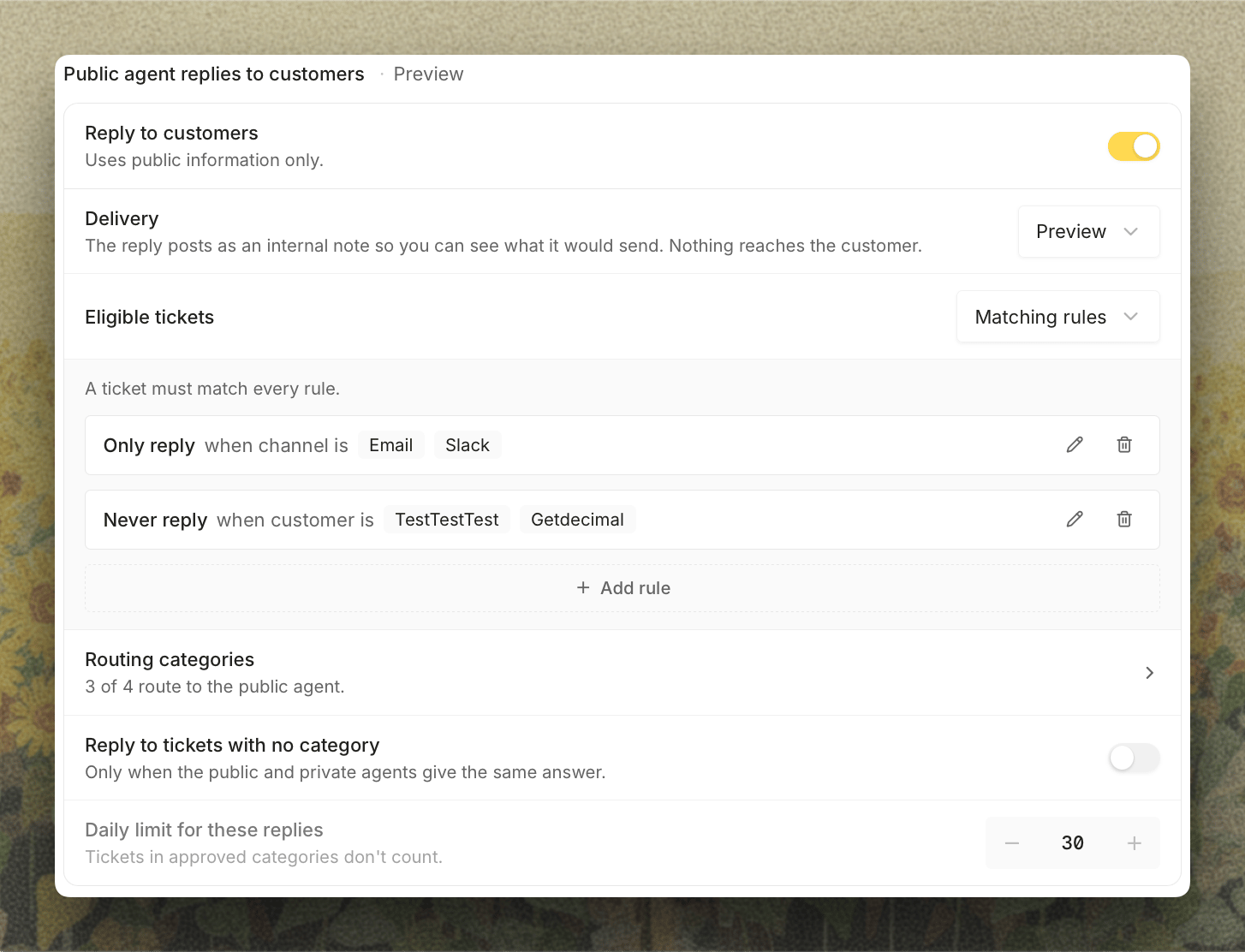
Reply to customers turns on the public agent, which answers from public information only. The label beside the heading shows where it stands: Off, Preview, or Live.- Delivery: Preview posts every public answer as an internal note so you can see what it would have sent. Live sends it. Turning the public agent on always starts it in Preview. Routing categories have their own delivery too, and a reply only goes out when both are Live.
- Eligible tickets: Every ticket, or Matching rules to narrow it with Only reply and Never reply rules by channel, tag, or customer. A ticket must match every rule. Tickets that don’t are left to the private agent.
- Routing categories: how many approved categories route to the public agent, linking to them on the Tickets tab.
- Reply to tickets with no category: lets the public agent answer a ticket that matched no category, but only when the public and private agents gave the same answer. Off by default.
- Daily limit for these replies: caps those uncategorized replies in a rolling 24 hours. Defaults to 30. Tickets in approved categories don’t count. See When No Category Matches.