

Two Agents, Two Evidence Bases
Both agents can run on the same ticket. What separates them is what they are allowed to look at, and who reads the result.
The private agent is the stronger investigator. It can trace a failing request through your logs and tell you which customer record is wrong. The public agent cannot do any of that, and it is not meant to. It exists to clear the large share of your queue that never needed an investigation in the first place.
What the Public Agent Can See
The public agent has a deliberately short list of sources:- Public knowledge base articles. Only articles marked Public in your knowledge base. Anything left private is invisible to it, including every investigation note your team has written.
- Public code repositories. Only repositories that are public on GitHub, GitLab, or Bitbucket. If all of your connected repositories are private, the public agent works from the knowledge base alone.
- Your status page, if your workspace has one configured. When a customer reports that something is broken and an incident is live, the agent points them at the status page rather than guessing.
Every Answer Is Verified
The public agent does not get to decide on its own that an answer is good enough. Before anything is delivered, a separate verifier reads the drafted reply and checks it sentence by sentence against the sources the agent cited. Three things can happen:- The answer holds up. Every claim traces back to a cited source, and the reply goes out as written.
- Part of it doesn’t hold up. The verifier rewrites the answer down to the parts that are supported, dropping the rest.
- Too little survives. The verifier blocks the reply. Nothing goes to the customer. The draft lands on the ticket as an internal note instead, and the ticket waits for your team like any other.
How Its Replies Are Signed
A public agent reply goes to the customer under your team’s name, so what sits at the bottom of it matters more here than it does on a draft your team reads before sending. Signature rules on the Voice tab decide that. Rules are written per agent, so the public agent can sign as a named teammate on billing questions and with your team’s name everywhere else, without touching how the private agent signs. When you pick several teammates, the same ticket always resolves to the same signer, so a thread never changes names partway through.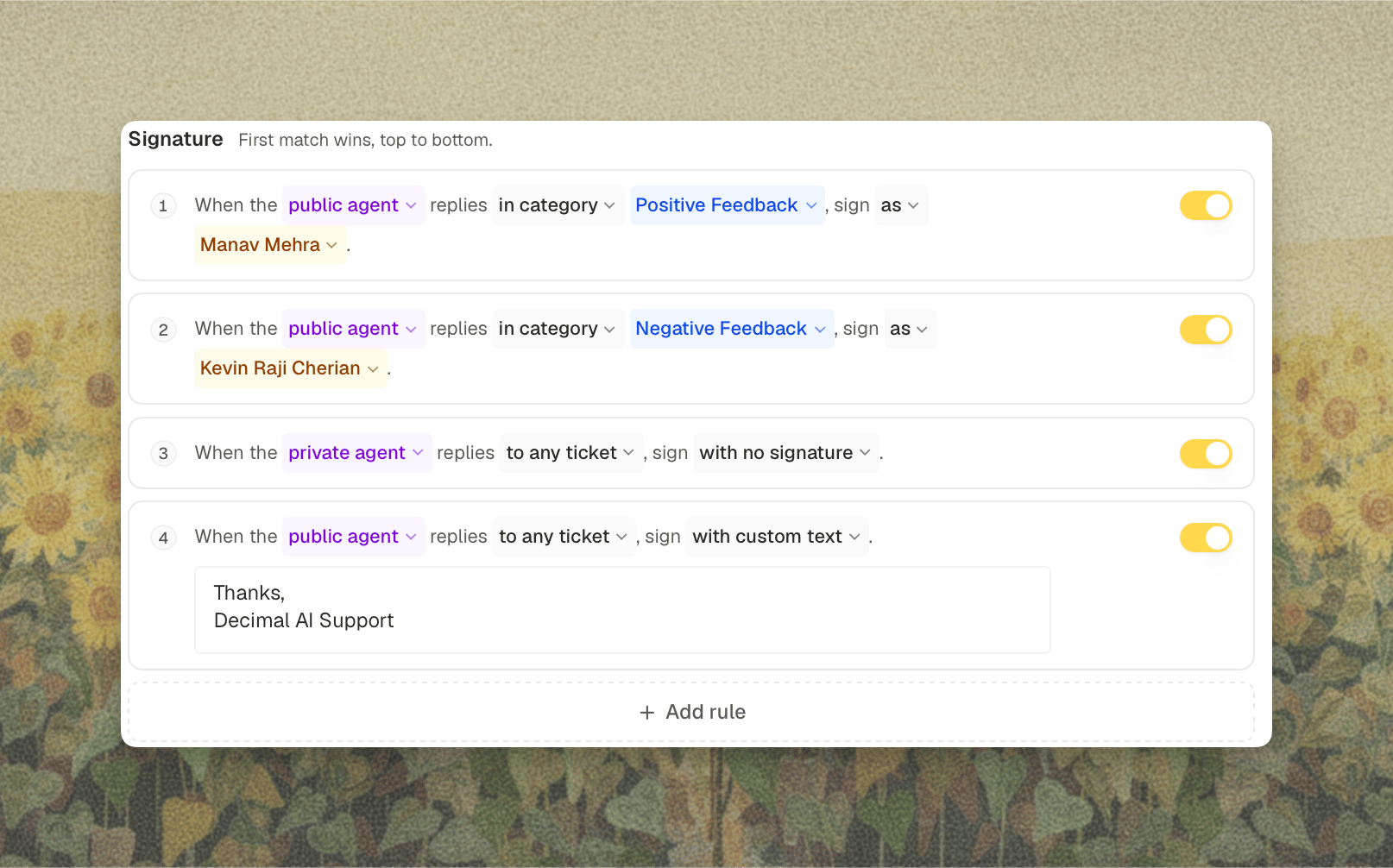
Signing as a named teammate is most of what makes an automated reply read like it came from your team. Pair it with a response delay on the category and the reply arrives signed by a person, at a pace a person could have worked at.
Public Agent vs Private Agent Replies
These two features both end with a customer receiving a reply nobody on your team typed, which is why they get confused. They solve different problems and they work independently.
The clean way to hold the difference: Private agent replies change who presses send. The public agent changes who writes the reply, and what they were allowed to read while writing it.
You can run either one alone, or both together. When both are on, routing decides which agent’s answer is the candidate for the customer, and private agent replies govern the drafts that routing keeps in-house.
Turning It On
- Open the Replies tab. Open Settings, select Support Agent under Agents, then Replies.
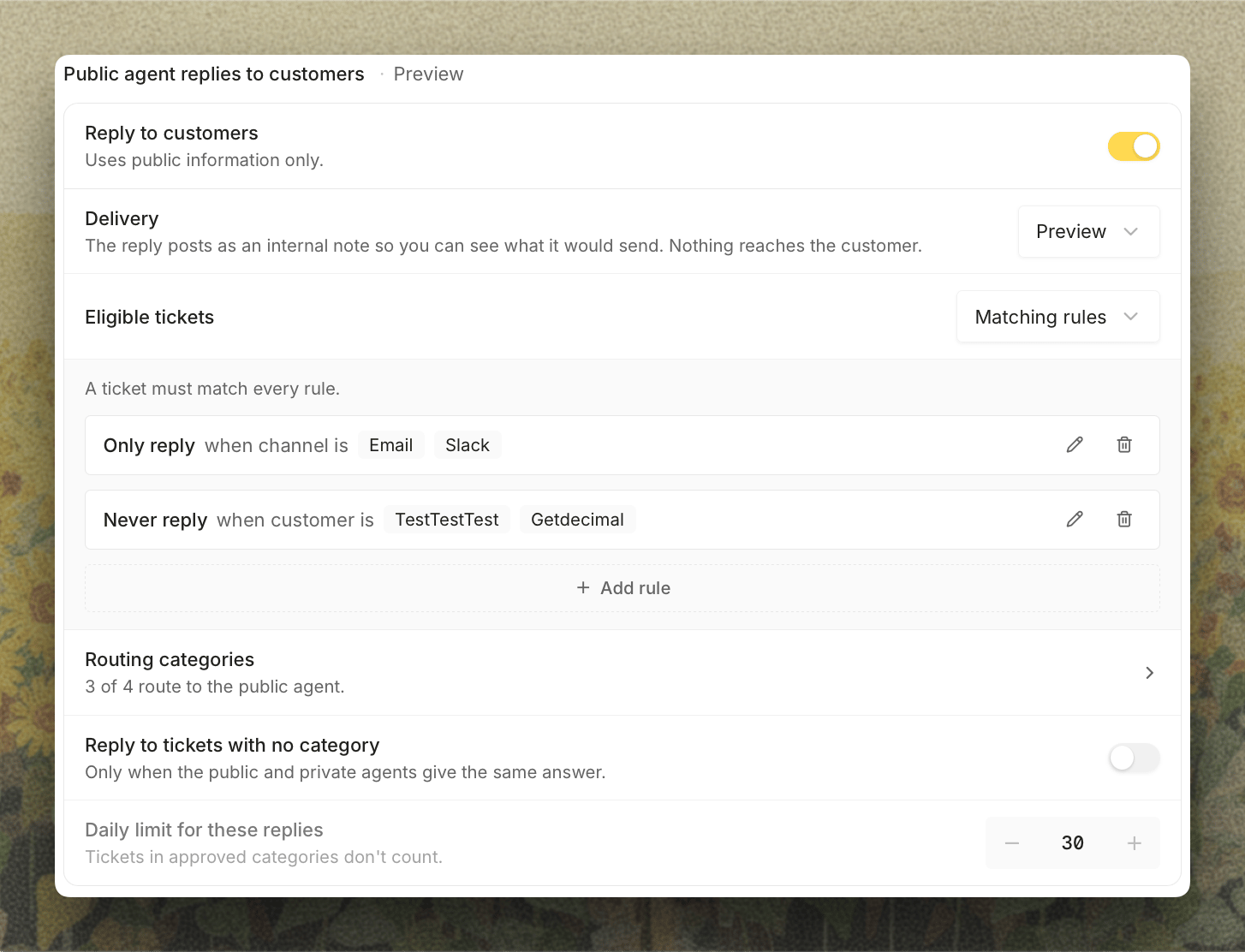
- Turn on Reply to customers under Public agent replies to customers. It always starts with Delivery on Preview, so the public agent drafts real answers and posts them as internal notes without any of them reaching a customer.
- Choose Eligible tickets. Leave it on Every ticket, or pick Matching rules to keep the public agent to certain channels, tags, or customers.
- Define your categories. Routing categories now appears on the Tickets tab, where you decide which kinds of tickets the public agent is trusted to answer. New categories also start in Preview. See Routing.
- Read the previews on real tickets. Give it a week of live traffic and read what it would have sent.
- Go Live one category at a time. Set the agent-wide Delivery to Live, then switch the categories you trust to Live. A reply only reaches the customer when both are Live, so categories you leave in Preview stay internal.
The public agent is only as good as your public knowledge base. If the previews are thin, that is usually a signal about your documentation rather than about the agent. KB gap detection will tell you which articles are missing.
What You See on the Ticket
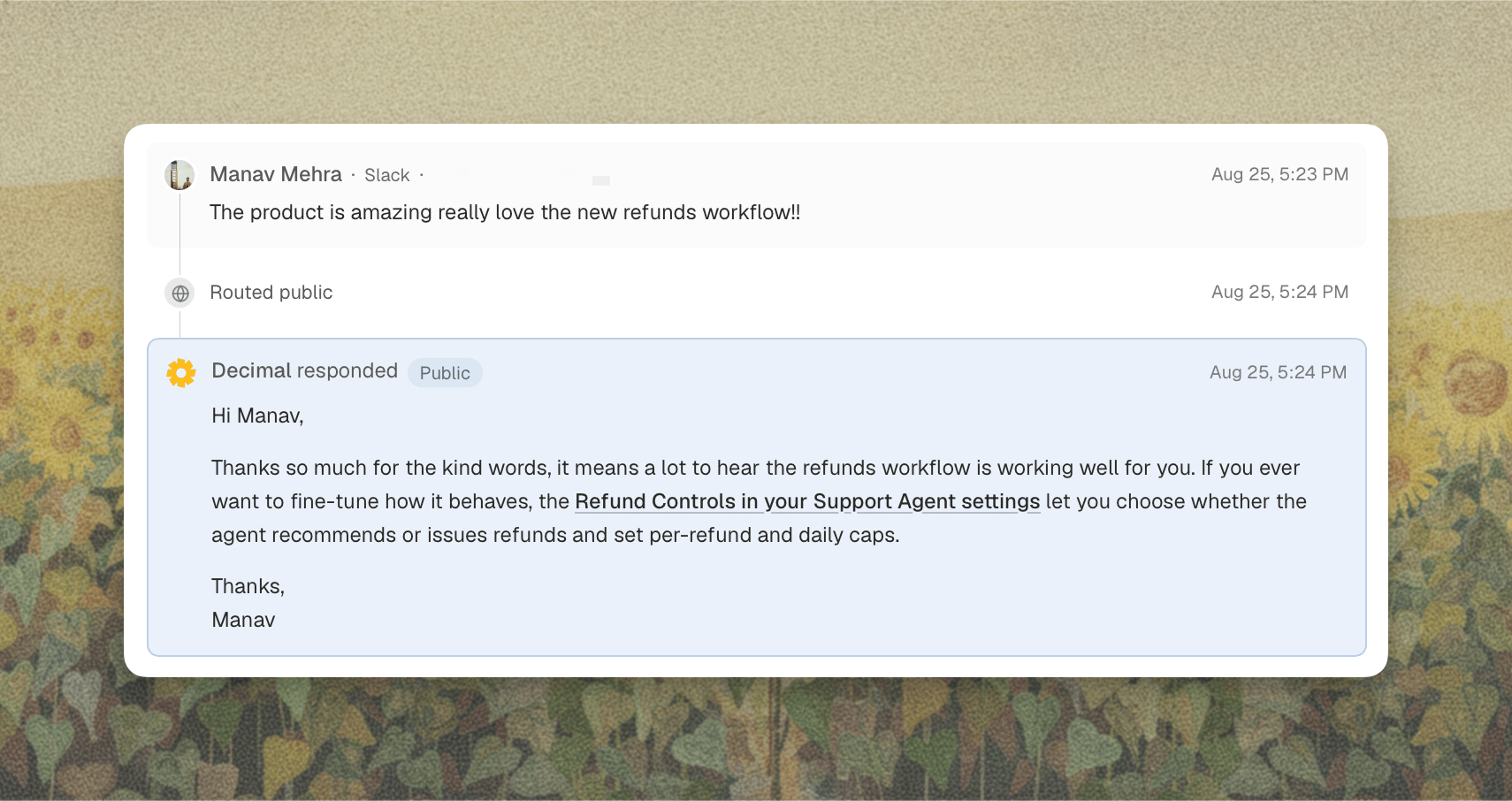
Every public agent run is recorded on the ticket, whether or not the customer saw it.- In Preview (agent-wide or on the category), the drafted answer posts as an internal note headed Public Agent Response. Your team sees exactly what would have gone out.
- In Live, the answer is posted as a reply to the customer, and the ticket shows it as the reply that was sent.
- When the verifier blocks a reply, the draft posts as an internal note and the ticket is left for your team.
When the Public Agent Stands Down
The public agent does not answer every ticket it drafts for. It steps aside when:- The ticket isn’t eligible. It doesn’t match the Eligible tickets rules on the Replies tab, so only the private agent runs.
- A teammate has already replied. The agent never sends over a human.
- The verifier blocked the answer. Covered above.
- The customer is asking for a person, or is visibly frustrated with automated replies. The ticket is handed to your team.
- Someone mentions Decimal directly on the ticket. A direct mention is a request for the investigating agent, so the ticket goes private.
- The conversation was escalated from a chat widget. The widget already tried the public path, so the ticket arrives on your team’s side of the line.
- Your routing rules send it elsewhere. A category that routes to the private agent, or a router decision that the thread now needs more oversight.