

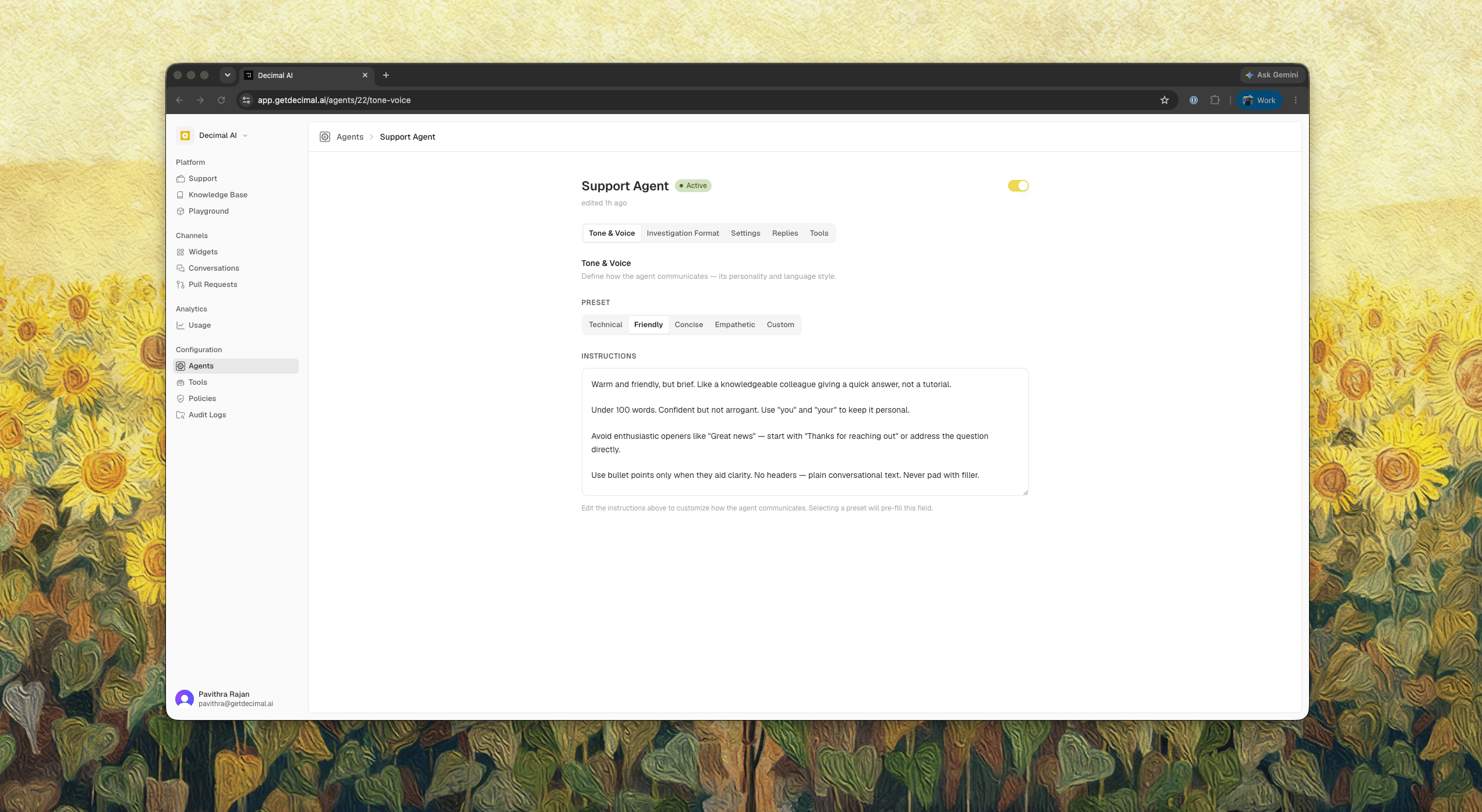
Presets
Pick a starting point:- Technical: precise and direct, for developer-facing support.
- Friendly: warmer and more conversational.
- Concise: shortest answer that resolves the ticket.
- Empathetic: leads by acknowledging the customer’s situation.
- Custom: start from an empty box and write your own.
Instructions
The instructions are plain language, applied to every reply the agent drafts. Write the things a new teammate would need to be told: sign-offs to use or avoid, words your customers don’t know, whether to apologize, how formal to be.Publishing
Your edits stay a draft until you press Publish, so the agent keeps using the last published version while you work. Under the version history, each version shows what changed. Compare any version against the one before it, and roll back if a change made replies worse.If your workspace has the public agent turned on, you can give it a separate tone from the internal one and resync the two later.