> ## Documentation Index
> Fetch the complete documentation index at: https://docs.decimal.app/llms.txt
> Use this file to discover all available pages before exploring further.
# Routing
> Routing categories decide which tickets the public agent may answer, how its replies are delivered, and how long it waits before sending.
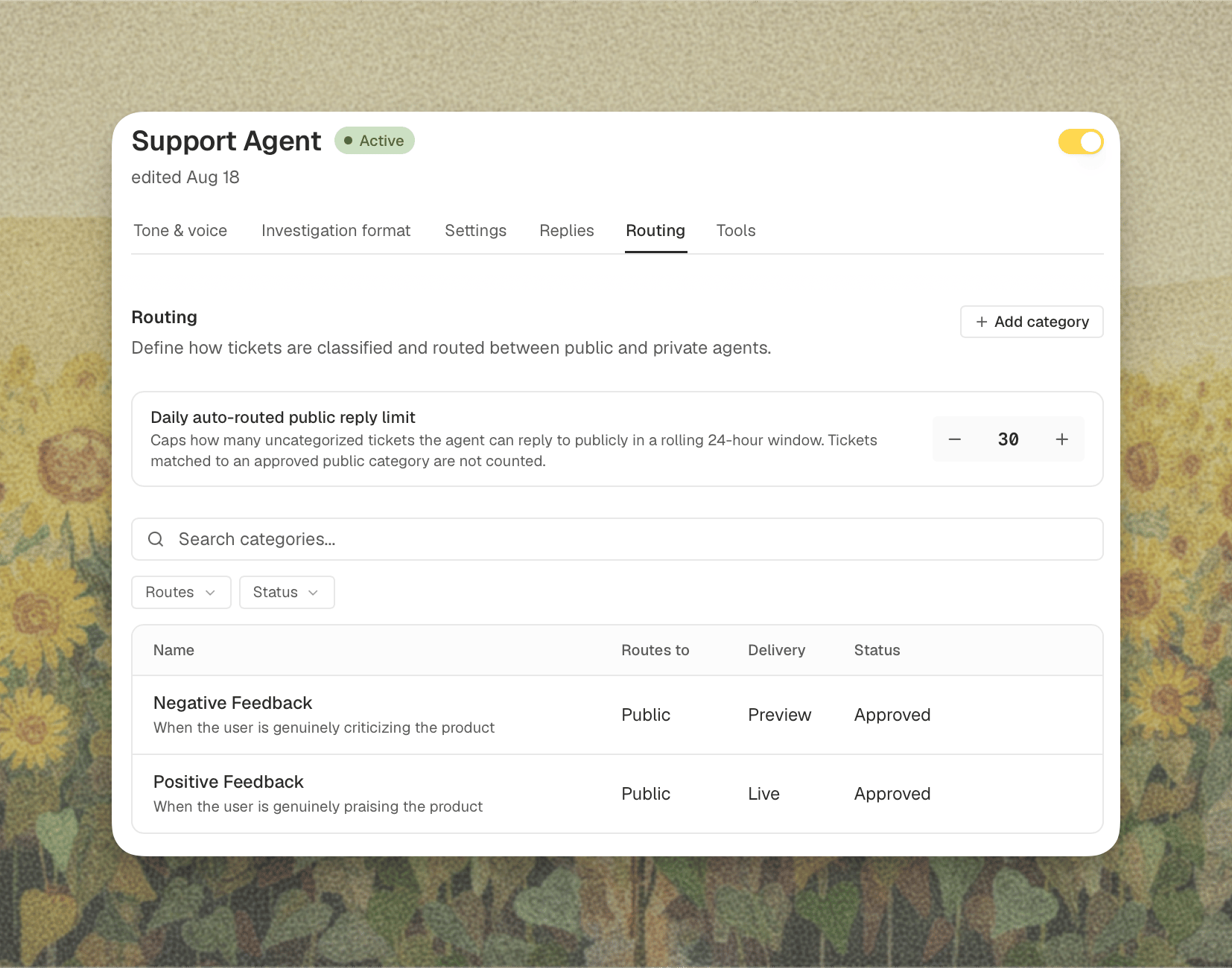
The **Routing** tab appears once the [public agent](/agents/public-agent) is enabled for your workspace. Without a public agent there is nothing to route between.
Once you have two agents, every ticket needs an answer to one question: who takes this one? **Routing categories** are how you answer it in advance, in your own words, for the kinds of tickets you actually get.
A category is a description of a recurring kind of ticket, plus a decision about how it should be handled. "Password reset requests go to the public agent, live." "Anything about billing goes to a human." "Bug reports get drafted by both agents, and we'll see which answer is better."
Open **Agents**, select **Support Agent**, then **Routing**.
 ## How a Ticket Gets Routed
Routing runs on every turn of a conversation, not just when the ticket arrives. A thread that started simple can stop being simple, and the routing follows it.
1. **The router reads the thread** and matches it against your approved categories. It judges the ticket on what the customer needs right now, not on the tone or the length of the message.
2. **The matched category sets the starting point.** A category that routes to the public agent starts the ticket there.
3. **The router can add oversight, never remove it.** From that starting point it asks whether this particular conversation has gone somewhere that needs more human involvement: an answer that didn't land, a question asked twice, a request that now turns on a decision only your team can make. It can move a ticket from public to both, or from either to private. It can never move a ticket the other way, so a category that routes to your team stays with your team.
4. **The agents run.** Which ones depends on the decision.
5. **When both ran, a comparison step picks the winner.** It reads both drafts and asks whether the private agent found something the public agent could not. If it did, the ticket stays internal.
6. **The reply is delivered** according to the category's delivery setting and response delay.
## Where a Category Can Route
**Routes to** is the core setting on a category. It has three values.
| Routes to | What runs | What the customer gets |
| ----------------- | ---------------------- | ------------------------------------------------------------------------------------------------------------------------------ |
| **Public agent** | Only the public agent | Its answer, subject to the verifier and your delivery setting |
| **Private agent** | Only the private agent | Nothing automatic. Your team reviews the draft and replies |
| **Both agents** | Both, in parallel | Whichever answer the comparison step picks. The public answer only wins if it covers the ticket as well as the private one did |
## Creating a Category
Click **Add category** to open the editor.
## How a Ticket Gets Routed
Routing runs on every turn of a conversation, not just when the ticket arrives. A thread that started simple can stop being simple, and the routing follows it.
1. **The router reads the thread** and matches it against your approved categories. It judges the ticket on what the customer needs right now, not on the tone or the length of the message.
2. **The matched category sets the starting point.** A category that routes to the public agent starts the ticket there.
3. **The router can add oversight, never remove it.** From that starting point it asks whether this particular conversation has gone somewhere that needs more human involvement: an answer that didn't land, a question asked twice, a request that now turns on a decision only your team can make. It can move a ticket from public to both, or from either to private. It can never move a ticket the other way, so a category that routes to your team stays with your team.
4. **The agents run.** Which ones depends on the decision.
5. **When both ran, a comparison step picks the winner.** It reads both drafts and asks whether the private agent found something the public agent could not. If it did, the ticket stays internal.
6. **The reply is delivered** according to the category's delivery setting and response delay.
## Where a Category Can Route
**Routes to** is the core setting on a category. It has three values.
| Routes to | What runs | What the customer gets |
| ----------------- | ---------------------- | ------------------------------------------------------------------------------------------------------------------------------ |
| **Public agent** | Only the public agent | Its answer, subject to the verifier and your delivery setting |
| **Private agent** | Only the private agent | Nothing automatic. Your team reviews the draft and replies |
| **Both agents** | Both, in parallel | Whichever answer the comparison step picks. The public answer only wins if it covers the ticket as well as the private one did |
## Creating a Category
Click **Add category** to open the editor.
 ### Name and Description
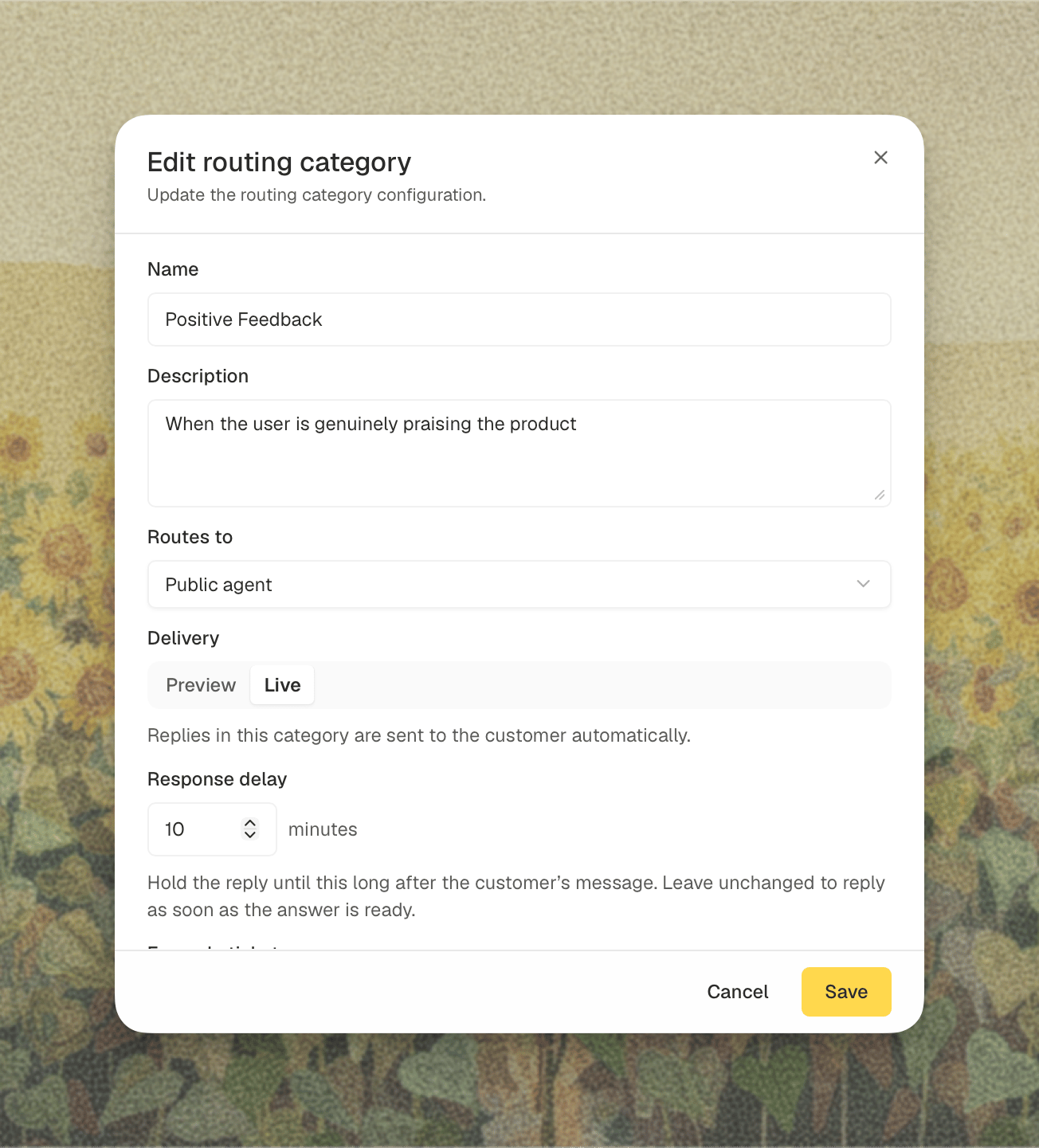
Write the **Name** the way your team would say it out loud: "Billing refund request", "SSO setup question". The **Description** is where you say when the category applies. Be concrete about the boundary, because that is what the router leans on when a ticket sits between two categories.
### Example Tickets
Pick real tickets from your own history that belong in this category. They are not used for matching at runtime. They are fed to the model when it writes the AI definition below, and a handful of real examples does more for accuracy than another paragraph of description.
### AI-Enhanced Category Definition
Click **Generate** and Decimal expands what you wrote into the fuller definition the router actually reads: a classification description and a set of example phrasings.
You can open it, edit any part of it by hand, and save. If you later change the name, description, or example tickets, the definition is marked **Out of date** and the button becomes **Regenerate**. Regenerating overwrites manual edits, so Decimal asks you to confirm when it would.
A category cannot be saved or approved until this definition has been generated.
### Status
| Status | What it does |
| --------------------- | -------------------------------------------------------------------------------- |
| **Suggested (draft)** | Saved, but ignored by the router. Use it to draft a category before you trust it |
| **Approved** | Live. The router will match tickets against it |
Only approved categories with a generated definition are used for routing. You can approve a category from the list with the checkmark, or from the editor.
## Delivery: Preview and Live
Categories that route to the public agent (**Public agent** or **Both agents**) get a **Delivery** setting. This is the safety valve, and it is per category rather than per workspace.
* **Preview** (the default for every new category): the public agent does the full job, and its answer posts to the ticket as an internal note. Nothing reaches the customer. This is sometimes called shadow mode.
* **Live**: the answer is sent to the customer.
### Name and Description
Write the **Name** the way your team would say it out loud: "Billing refund request", "SSO setup question". The **Description** is where you say when the category applies. Be concrete about the boundary, because that is what the router leans on when a ticket sits between two categories.
### Example Tickets
Pick real tickets from your own history that belong in this category. They are not used for matching at runtime. They are fed to the model when it writes the AI definition below, and a handful of real examples does more for accuracy than another paragraph of description.
### AI-Enhanced Category Definition
Click **Generate** and Decimal expands what you wrote into the fuller definition the router actually reads: a classification description and a set of example phrasings.
You can open it, edit any part of it by hand, and save. If you later change the name, description, or example tickets, the definition is marked **Out of date** and the button becomes **Regenerate**. Regenerating overwrites manual edits, so Decimal asks you to confirm when it would.
A category cannot be saved or approved until this definition has been generated.
### Status
| Status | What it does |
| --------------------- | -------------------------------------------------------------------------------- |
| **Suggested (draft)** | Saved, but ignored by the router. Use it to draft a category before you trust it |
| **Approved** | Live. The router will match tickets against it |
Only approved categories with a generated definition are used for routing. You can approve a category from the list with the checkmark, or from the editor.
## Delivery: Preview and Live
Categories that route to the public agent (**Public agent** or **Both agents**) get a **Delivery** setting. This is the safety valve, and it is per category rather than per workspace.
* **Preview** (the default for every new category): the public agent does the full job, and its answer posts to the ticket as an internal note. Nothing reaches the customer. This is sometimes called shadow mode.
* **Live**: the answer is sent to the customer.
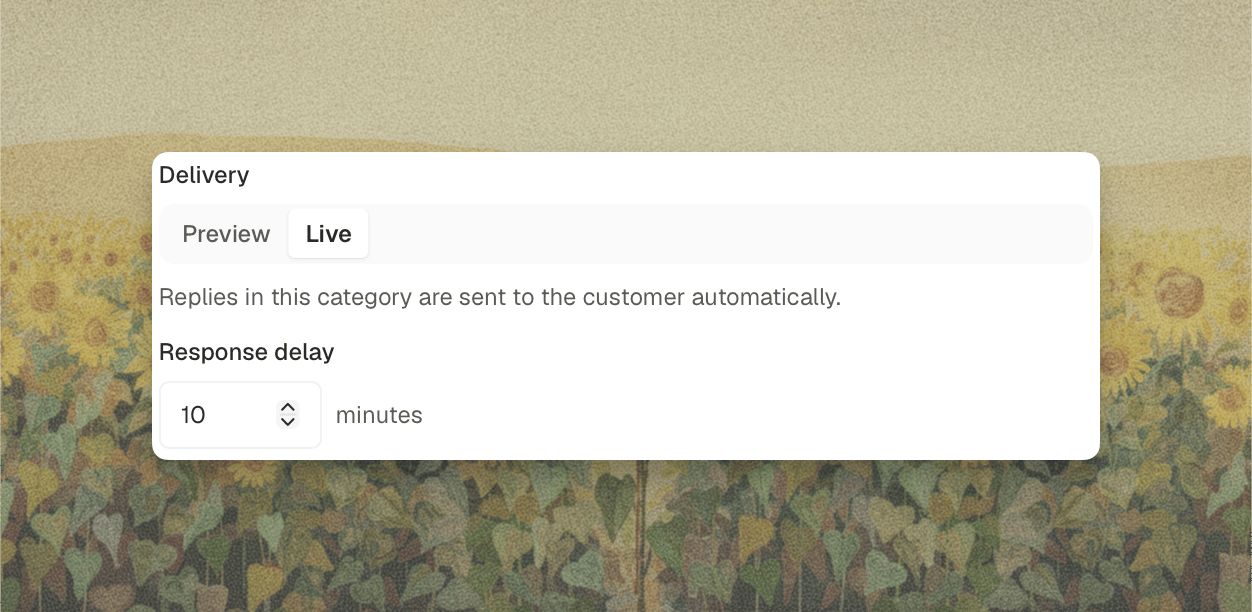
Every category starts in **Preview** on purpose. Leave it there through a full cycle of real traffic, read the notes it produces, and promote one category at a time. Preview is the only way to see how a category behaves on tickets you didn't think of when you wrote it.
Delivery is a floor, not a guarantee. A category set to **Live** still produces an internal note instead of a customer reply when the verifier blocks the answer, when a teammate has already replied, or when the router or comparison step moves the ticket to the private agent.
## Response Delay
An answer that lands a second after the customer hits send reads as a machine, however good the answer is. No person types that fast, and customers notice.
**Response delay** holds the reply for a set number of minutes so it arrives at a pace a teammate could plausibly have worked at. Set it up to **60** minutes, or leave it empty to reply as soon as the answer is ready.
The details worth knowing:
* **The clock starts at the customer's most recent message**, not at the moment the agent finished working. A five minute delay on an answer that took four minutes to produce sends one minute later, not five.
* **If the delay has already passed** by the time the answer is ready, the reply goes out immediately.
* **If the customer writes again during the delay, the pending reply is dropped.** The agent reprocesses the thread including the new message and answers the whole thing, rather than sending a reply to a question the customer has already moved past.
* **The delay applies in Preview too.** It holds the turn, so the internal note also waits.
Response delay is available on categories that route to the public agent. It has no effect on **Private agent** categories, whose replies are sent by your team anyway.
## When No Category Matches
The router returns no category when nothing in your list describes the ticket. What happens next depends on your workspace.
By default, an uncategorized ticket goes to **both agents** and the comparison step decides. If your workspace has automatic routing enabled, the comparison step is allowed to send a public reply on a ticket that matched no category at all.
That is the case the **Daily auto-routed public reply limit** exists for. It caps how many uncategorized tickets can receive a public reply in a rolling 24 hour window, and it defaults to **30**. Tickets that matched an approved public category are not counted against it, so the limit constrains only the tickets you never wrote a rule for. Once the cap is reached, uncategorized tickets fall back to your team until the window rolls forward.
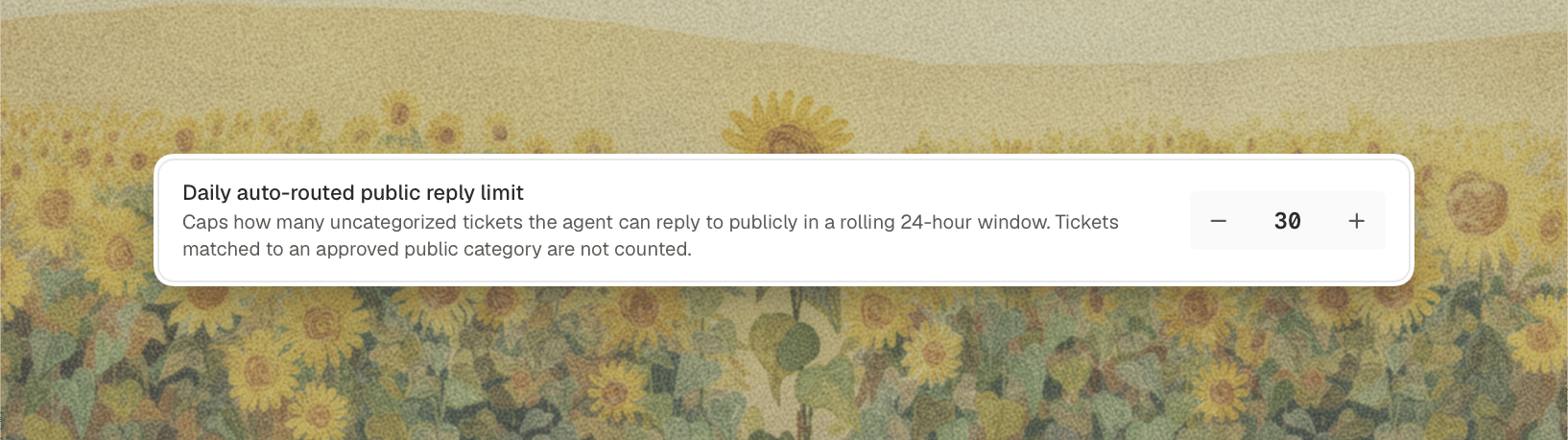 Raise it as your categories get better and your confidence grows. Lower it, or set it to 1, if you want the public agent to answer only tickets you have explicitly described.
## What Overrides a Category
A category states an intent. Several things can still pull a ticket toward more human involvement, and none of them can push it the other way.
| Trigger | Result |
| --------------------------------------------------------------------------- | ---------------------------------------- |
| The customer asks for a person, or is frustrated with automated replies | Private agent |
| The router judges the thread now needs more oversight | Moved up one or two steps |
| The comparison step finds the private agent added something real | Private agent |
| The verifier blocks the public answer | Internal note, ticket left for your team |
| A teammate has already replied on the ticket | The agent stands down |
| Someone mentions Decimal directly on the ticket | Private agent |
| The conversation was escalated from a [chat widget](/chat-widgets/overview) | Private agent |
| The daily auto-routed limit is reached, on an uncategorized ticket | Private agent |
## A Suggested Rollout
1. **Start with your three most repetitive ticket types.** Look at what your team answers with near-identical wording every week. Those are the categories worth writing first.
2. **Choose a routing target for each one.** **Public agent** runs the public agent alone, which is the direct choice when you already know the answer lives in your documentation. **Both agents** runs both and shows you which draft the comparison step preferred. Either way, leave the category in **Preview** to start.
3. **Read the previews for a week.** You are checking one thing: would you have sent that?
4. **Switch the categories you trust to Live.** One at a time.
5. **Add a response delay** on the categories where an instant reply would feel out of place.
6. **Write private categories for the things you never want automated.** Billing disputes, security reports, anything with a contractual edge. A category that routes to the private agent is a rule the router cannot talk itself out of.
7. **Revisit the daily limit** once your categories cover most of your volume.
Raise it as your categories get better and your confidence grows. Lower it, or set it to 1, if you want the public agent to answer only tickets you have explicitly described.
## What Overrides a Category
A category states an intent. Several things can still pull a ticket toward more human involvement, and none of them can push it the other way.
| Trigger | Result |
| --------------------------------------------------------------------------- | ---------------------------------------- |
| The customer asks for a person, or is frustrated with automated replies | Private agent |
| The router judges the thread now needs more oversight | Moved up one or two steps |
| The comparison step finds the private agent added something real | Private agent |
| The verifier blocks the public answer | Internal note, ticket left for your team |
| A teammate has already replied on the ticket | The agent stands down |
| Someone mentions Decimal directly on the ticket | Private agent |
| The conversation was escalated from a [chat widget](/chat-widgets/overview) | Private agent |
| The daily auto-routed limit is reached, on an uncategorized ticket | Private agent |
## A Suggested Rollout
1. **Start with your three most repetitive ticket types.** Look at what your team answers with near-identical wording every week. Those are the categories worth writing first.
2. **Choose a routing target for each one.** **Public agent** runs the public agent alone, which is the direct choice when you already know the answer lives in your documentation. **Both agents** runs both and shows you which draft the comparison step preferred. Either way, leave the category in **Preview** to start.
3. **Read the previews for a week.** You are checking one thing: would you have sent that?
4. **Switch the categories you trust to Live.** One at a time.
5. **Add a response delay** on the categories where an instant reply would feel out of place.
6. **Write private categories for the things you never want automated.** Billing disputes, security reports, anything with a contractual edge. A category that routes to the private agent is a rule the router cannot talk itself out of.
7. **Revisit the daily limit** once your categories cover most of your volume.