> ## Documentation Index
> Fetch the complete documentation index at: https://docs.decimal.app/llms.txt
> Use this file to discover all available pages before exploring further.
# Private Agent Replies
> Let the private agent send its own replies to customers, gated by a verifier and the guardrails you set.
This feature is enabled per workspace. [Email us](mailto:support@getdecimal.ai?subject=Enable%20private%20agent%20replies%20to%20customers) to turn it on. A **Contact support** button where the switch should be means it isn't on yet.
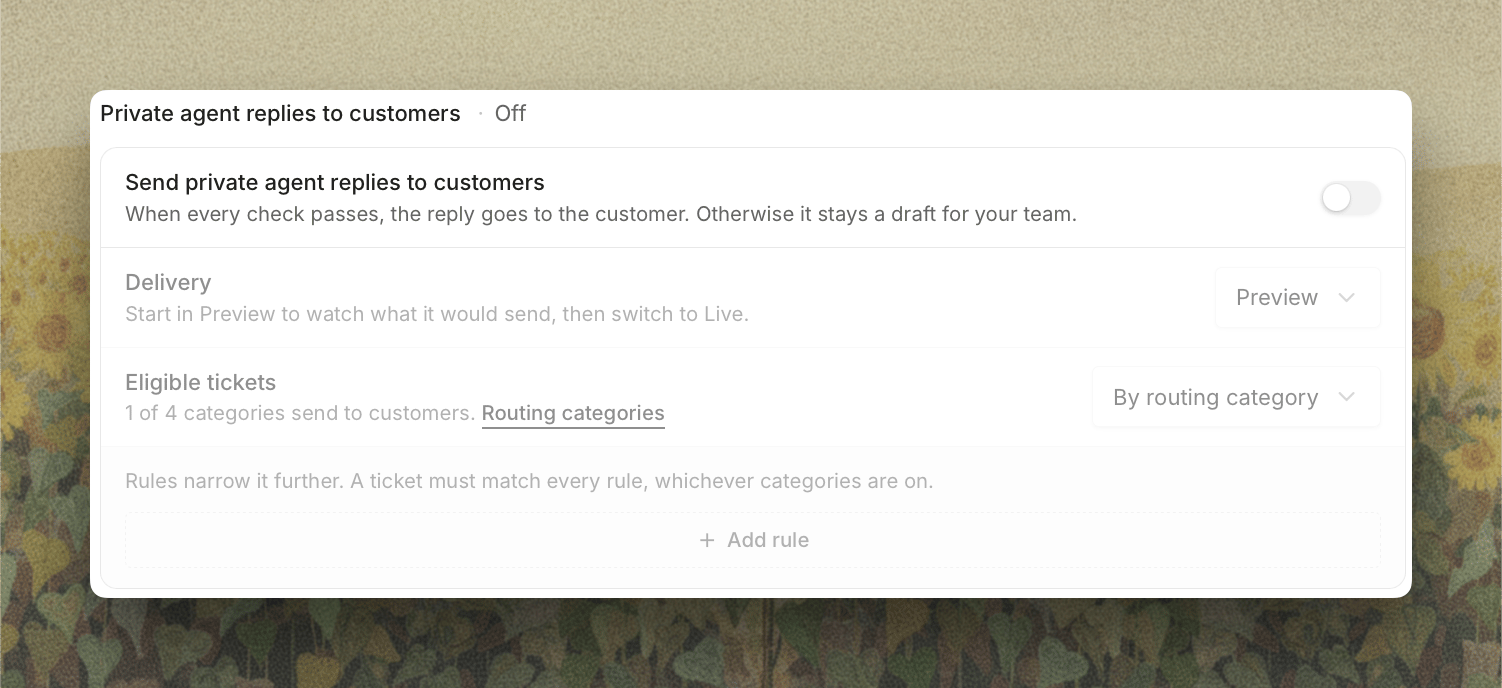
**Private agent replies to customers**, previously called Full Autonomy, lets the private agent send its drafted reply to the customer itself. You control how far to take it, from watching what the agent *would* send to letting it reply live. Nothing goes out until it clears every check.
This is about the **private** agent's drafts, the ones built from everything you've connected. If you're looking for the separate agent that answers customers from your public documentation alone, that's the [public agent](/agents/public-agent). The two work independently, and [Public Agent vs Private Agent Replies](/agents/public-agent#public-agent-vs-private-agent-replies) lays out the difference.
## What It Does
* **Sends replies automatically**: posts the agent's drafted reply to the customer when it clears every check, with no one in the loop
* **Checks every reply first**: an independent verifier reviews each reply and holds back anything unsafe before it reaches the customer
* **Runs your guardrails**: enforces conditions you write yourself on the [Guardrails](/agents/guardrails) tab, on top of the always-on safety checks
* **Stands down for humans**: if a teammate has already replied on a ticket, the agent won't send
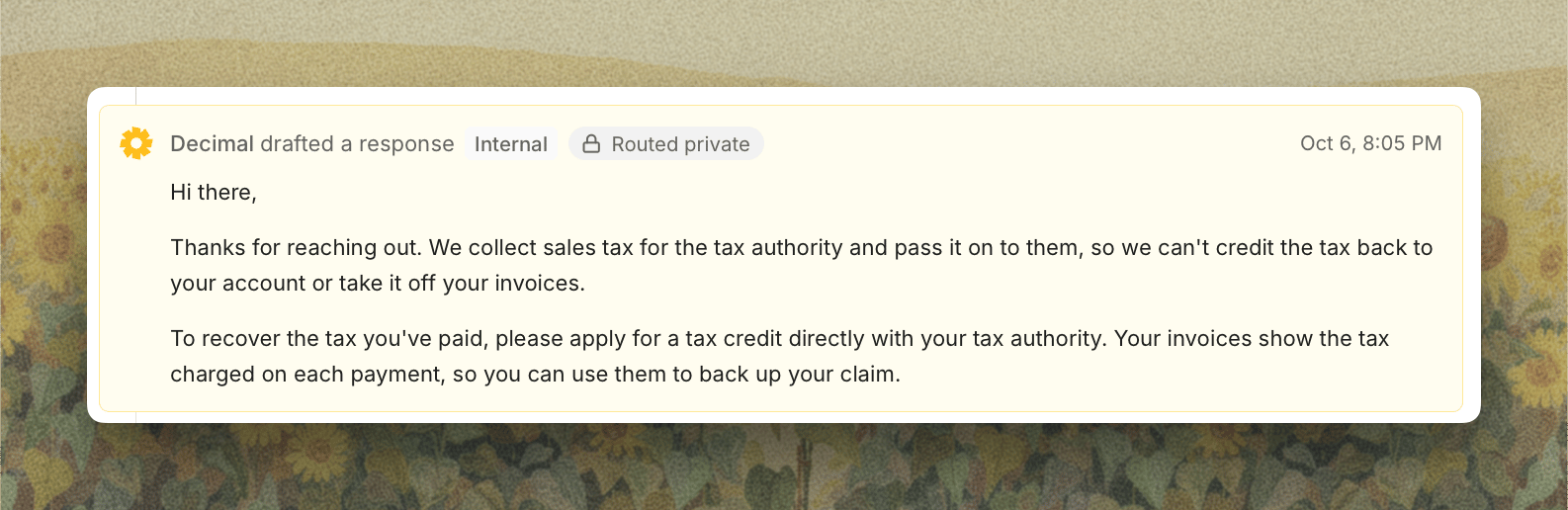
* **Starts in Preview**: drafts replies as internal notes so you can see what it would send before it sends anything for real
Open **Settings**, select **Support Agent** under **Agents**, then **Replies**, and find **Private agent replies to customers**.
 ## Preview vs Live
Switch between the two with the **Delivery** control.
* **Preview** (default): the agent drafts a reply and posts it as an **internal note** on the ticket, so you can see exactly what it would send. Nothing reaches the customer.
* **Live**: the agent **sends its own replies to customers** whenever every check passes. You won't review them first.
## Preview vs Live
Switch between the two with the **Delivery** control.
* **Preview** (default): the agent drafts a reply and posts it as an **internal note** on the ticket, so you can see exactly what it would send. Nothing reaches the customer.
* **Live**: the agent **sends its own replies to customers** whenever every check passes. You won't review them first.
Start in **Preview**. Let the agent draft against real tickets for a while and read what it would have sent. Once the drafts look right, switch **Delivery** to **Live**.
## Eligible Tickets
Turning the feature on sends nothing until you choose where it applies. **Eligible tickets** starts at **Not configured**.
* **Every ticket**: any ticket the agent handles can get a private agent reply.
* **By routing category**: only tickets in [routing categories](/agents/routing#sending-private-agent-replies) where you've turned on **Send private agent replies to customers**. The row tells you how many of your approved categories send. A category in **Preview** keeps its replies as internal notes even when **Delivery** here is **Live**.
Below it, **Only send** and **Never send** rules narrow it further by **channel**, **tag**, **priority**, or **customer**. For instance, only send on tickets from a specific channel, or never send anything tagged `vip`. A ticket must match every rule, whichever categories are on.
Tickets routed to the public agent never get a private agent reply.
## Guardrails
A reply is **never sent to the customer** if any guardrail trips, or if the verifier's confidence sits below your threshold. The always-on checks, your own checks, and the confidence threshold all live on the [Guardrails](/agents/guardrails) tab.
## Turning It On
1. **Open the Replies tab**: Open **Settings**, select **Support Agent** under **Agents**, then **Replies**.
2. **Turn on Send private agent replies to customers**: it starts in **Preview**, so the agent drafts replies but sends nothing to customers.
3. **Choose Eligible tickets**: **Every ticket**, or **By routing category** and then switch on the categories you want.
4. **Review your guardrails**: on the **Guardrails** tab, check the always-on list, set the confidence threshold, and add any checks for your team's policies.
5. **Watch Preview on real tickets**: read the internal-note drafts the agent posts and confirm they're what you'd send.
6. **Switch to Live**: when you're confident, set **Delivery** to **Live** and the agent begins sending its own replies.
While this is on, **Drafted reply** stays enabled under [Internal notes](/agents/replies#internal-notes) and notes post separately, since the reply has to stand on its own.
## When a Reply Is Held Back
The draft posts as an internal note instead of reaching the customer, and the ticket waits for your team like any other, when:
* a guardrail trips, or the verifier's confidence is below your threshold
* a teammate has already replied on the ticket
* the ticket has a payment action waiting for approval
* the ticket has reached its [maximum replies](/agents/replies#limits)
 This documentation is built and hosted on [Mintlify](https://mintlify.com), a developer documentation platform.