> ## Documentation Index
> Fetch the complete documentation index at: https://docs.decimal.app/llms.txt
> Use this file to discover all available pages before exploring further.
# Agents
> The agents in your workspace, what each one answers, and where to configure them.
**Agents** in the sidebar lists every agent in your workspace. Open one to set its [tone and voice](/agents/tone-voice), and, for the agents that have them, its own settings.
Only organization administrators can open **Agents**. Your teammates still work tickets in [Support](/support/overview) as usual.
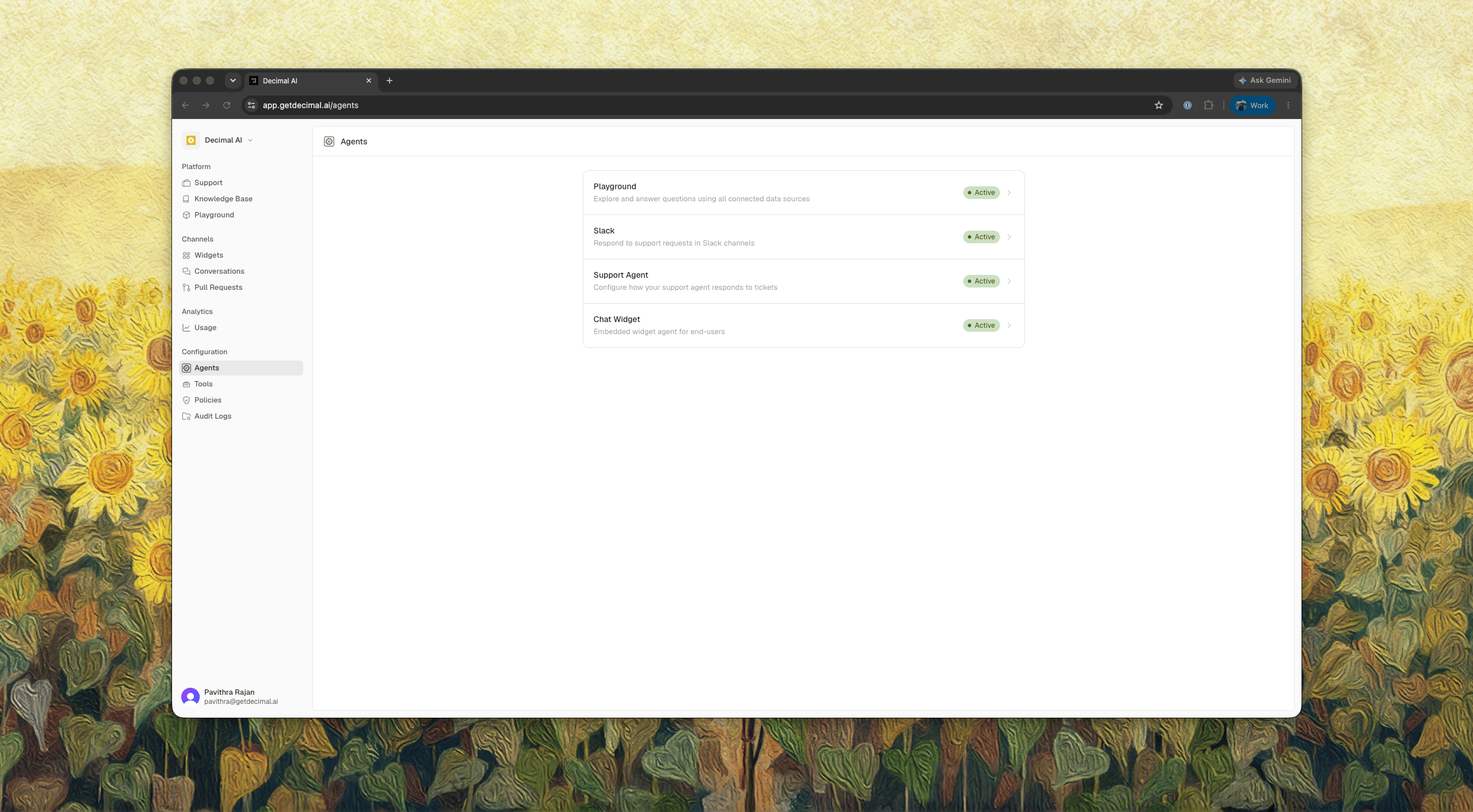 | Agent | What it answers |
| -------------------------------------- | ------------------------------------------------------------ |
| [Support Agent](/agents/support-agent) | Support tickets, with an investigation behind each answer |
| [Slack](/agents/slack) | Questions in Slack DMs and channels |
| [Chat Widget](/agents/chat-widget) | End users in the widget on your site |
| [Playground](/agents/playground) | Your own team's questions across every connected data source |
The switch in the top right of an agent's page turns it on and off. Switch it off and that agent stops answering, while your configuration stays as you left it.
| Agent | What it answers |
| -------------------------------------- | ------------------------------------------------------------ |
| [Support Agent](/agents/support-agent) | Support tickets, with an investigation behind each answer |
| [Slack](/agents/slack) | Questions in Slack DMs and channels |
| [Chat Widget](/agents/chat-widget) | End users in the widget on your site |
| [Playground](/agents/playground) | Your own team's questions across every connected data source |
The switch in the top right of an agent's page turns it on and off. Switch it off and that agent stops answering, while your configuration stays as you left it.